

Latest Money-Saving Deals for PDF Reader Pro
10% Off at PDF Reader Pro


Deal Overview
Enhanced Productivity with Streamlined PDF Management.
Robust Security for Confidential PDF Documents.
Versatile Format Conversion to Meet Diverse Needs.
Efficient Collaboration and Document Review Tools.
PDF Reader Pro: Simplify Your Document Management with Reader Pro.
Tired of the frustration that comes with PDF editing limitations and cumbersome workflows? It’s time to shift gears and embrace a smarter way to manage your PDF Reader Pro, documents effortlessly.
PDF Reader Pro isn’t just another PDF tool; it’s a game-changer that unlocks a world of possibilities.
Let’s read how it helps and simplifies your daily pdf needs.
In the forthcoming sections, we’ll talk about the features and functionalities that make PDF Reader Pro an indispensable tool for all your document editing, annotation, and management needs.
But first thing first.
How does PDF Readers Pro Work?
PDF Reader Pro simplifies your PDF tasks with an intuitive interface. Open your PDF document within the software, and you’ll find a range of tools at your fingertips. Want to edit text or add annotations?
Just click and type. Need to convert your PDF to another format? It’s as easy as selecting your desired output. With PDF Reader Pro, complex tasks become effortless, putting the power of efficient PDF management in your hands. It ‘s a complete all-in-one solution that takes care of your PDF needs in an instant.
How does PDF Readers Pro Help Ease Your PDF Editing?
- Convert PDF: How Does PDF Reader Pro Handle Conversions?
PDF Reader Pro simplifies the process of converting PDFs to different formats like Word, Excel, PPT, TXT, and more. With just a few clicks, you can transform PDF documents into editable and versatile files that suit your needs. Whether you’re extracting data or reformatting content, PDF conversion has never been this straightforward.
- Read PDF: What Makes PDF Reading Effortless with PDF Reader Pro?
Reading PDFs becomes a joy with PDF Reader Pro’s user-friendly interface. Enjoy smooth scrolling, rapid search capabilities, and customizable background themes. You can even choose between different page layouts, such as Single Page and Two Page reading, to tailor your reading experience to your preferences.
- Annotate PDF: How Can You Enhance PDFs with Annotations?
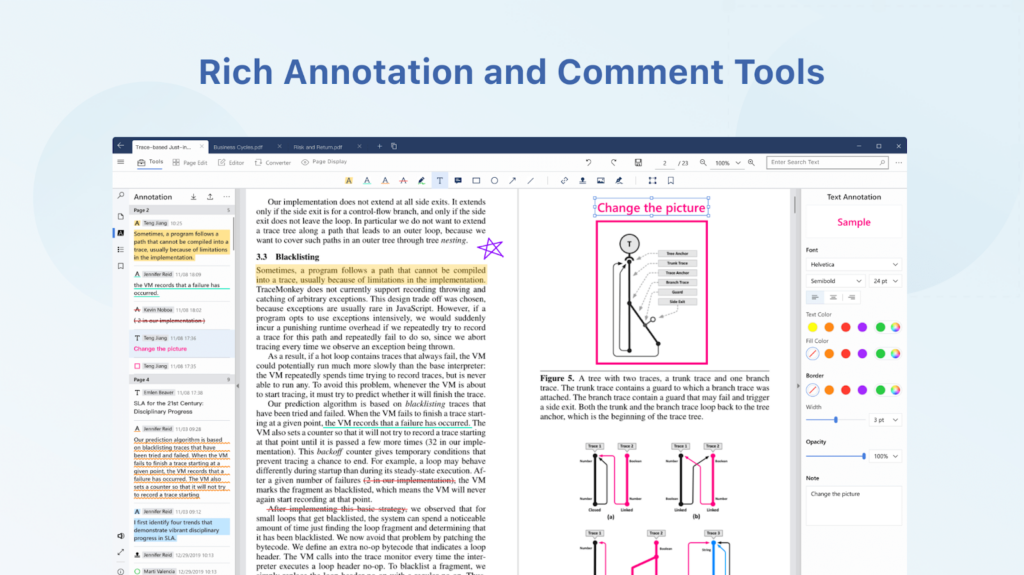
Enhance your PDFs with rich annotations using PDF Reader Pro. Highlight key information, underline important text, add squiggly lines, or strike through content as needed. Additionally, you can include memorable notes and capture ideas using various commenting tools, including images, tables, and stamps.
- Edit PDF: What Editing Options Does PDF Reader Pro Offer?
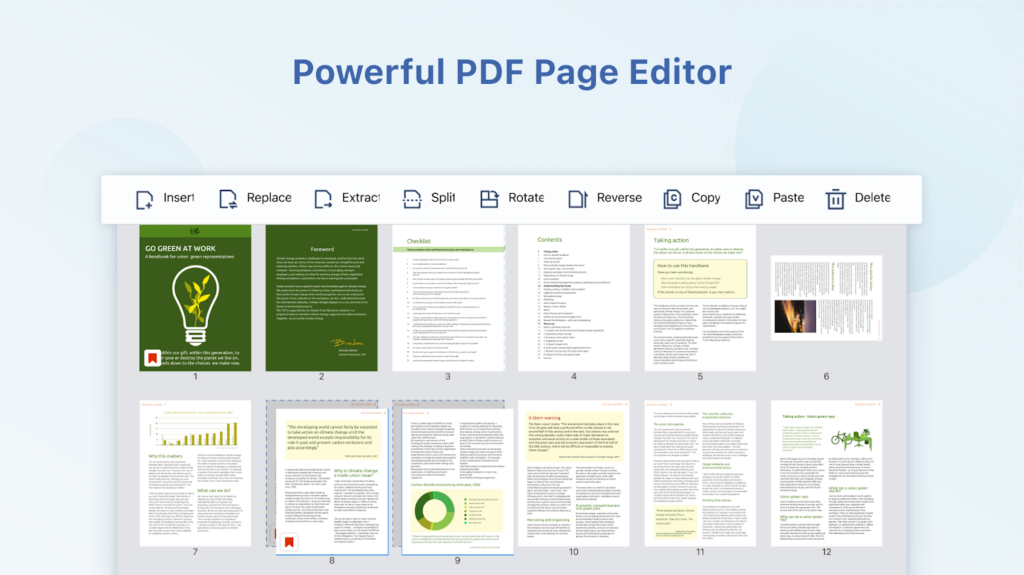
PDF Reader Pro empowers you to edit PDF documents with ease. Effortlessly rearrange pages using functions like Merge, Split, Extract, Rotate, Reverse, and Delete. Fix typos quickly by replacing or deleting text, and adjust font size and color as required. Edit text, images, links, watermarks, headers, and footers to customize your PDFs at will.
- Create & Fill Forms: How Does PDF Reader Pro Simplify Form Management?
Customize digital forms with various elements and easily create fillable PDF forms tailored to your needs. Fill out existing forms to go paperless and creative. PDF Reader Pro streamlines the process of working with forms, making it efficient and hassle-free.
These features make PDF Reader Pro a versatile tool for various PDF-related tasks, from reading and annotating to editing and form management.
What Makes PDF Reader Pro Unique?
PDF Reader Pro stands out as a versatile and powerful PDF solution, offering a range of unique features to simplify your document management needs:
- Custom Watermarks: With PDF Reader Pro, you can easily create text and image watermarks on your PDF documents. Whether you need to brand your documents or add a layer of security, this feature provides you with complete control over the content you share.
- Robust Page Editing: Take control of your PDF pages like never before. PDF Reader Pro provides a powerful page editor that allows you to insert, replace, extract, split, rotate, reverse, copy, paste, and delete pages within your PDF documents. This level of control ensures your documents are perfectly tailored to your needs.
- Rich Annotation and Comment Tools: Enhance your PDFs with precision using the rich annotation and comment tools offered by PDF Reader Pro. Highlight important sections, underline key information, add squiggly lines for emphasis, and strike through text as needed. You can include memorable notes and capture ideas using various commenting instruments, including images, tables, and stamps.
PDF Reader Pro combines these unique features to provide a comprehensive PDF management solution that empowers you to create, edit, and annotate your PDF documents with ease, making it an indispensable tool for both personal and professional use.
- Edit Images Without Losing Quality: One unique feature of PDF Reader Pro is the ability to edit images within your PDF documents without sacrificing quality. Whether you need to enhance, crop, or resize images, you can do so seamlessly while maintaining the original image’s clarity and detail.
Who Should Invest in PDF Readers Pro?
Following are some of the users who can benefit from using PDF Reader Pro:
- Business: PDF Reader Pro is an invaluable asset for businesses of all sizes. From document management to professional presentations, it streamlines PDF-related tasks, enabling businesses to work more efficiently and professionally.
- Construction: In the construction industry, precise document management is critical. PDF Reader Pro offers tools to annotate blueprints, manage project documents, and collaborate seamlessly, making it an ideal choice for construction professionals.
- Education: Teachers, students, and administrators can benefit from PDF Reader Pro’s versatile features. It simplifies the sharing of educational materials, allows easy annotation of lecture notes, and facilitates collaborative learning.
- Healthcare: Healthcare professionals often deal with sensitive patient information in PDF format. PDF Reader Pro ensures secure management of medical records, easy form-filling, and efficient communication, meeting the unique needs of the healthcare industry.
- Legal: In the legal field, document accuracy is paramount. PDF Reader Pro simplifies editing, annotation, and document conversion, helping legal professionals manage cases, contracts, and legal documentation with precision.
- Professionals: Professionals across various industries, from marketing to finance and beyond, can rely on PDF Reader Pro for versatile document management. It caters to the needs of individual experts seeking efficient PDF solutions.
How to Use PDF Reader Pro for Windows?
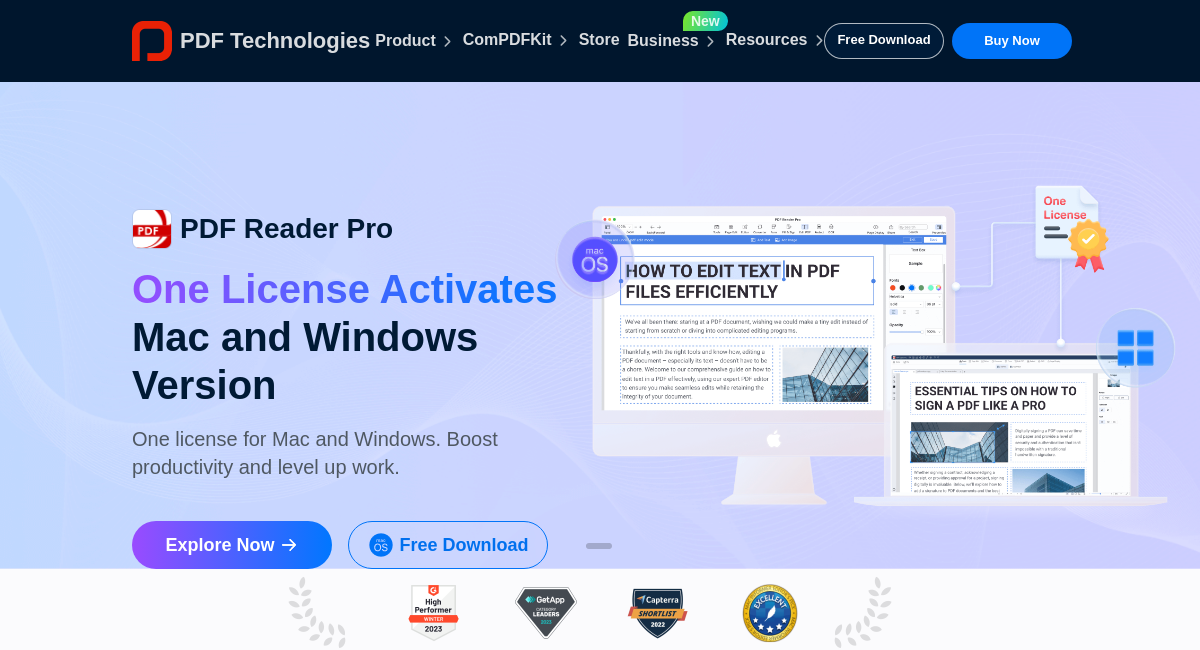
Windows and Mac Versions: PDF Reader Pro is available for both Windows and Mac operating systems, ensuring compatibility with a wide range of devices. Whether you’re using a PC or a Mac, PDF Reader Pro is there to simplify your PDF management tasks.
Open: Begin by double-clicking on the downloaded PDF Reader Pro file.
Launch: A dialog box may appear, depending on your browser’s security settings. Click “Show more,” then tap “Keep anyway,” and finally, click “Open.” If your browser displays a message like “Windows protected your PC,” select “More info” and then click “Run anyway.”
Install: Follow the setup wizard that appears to install PDF Reader Pro. If you encounter any installation errors, refer to the “Installation Error on Windows” section for further assistance.
Start: Once the installation is complete, you can start using PDF Reader Pro on your Windows device.
Also, don’t forget to use the PDF Reader Pro coupon code during the purchase processto enjoy an extra 25% discount on the software, making it an even more cost-effective solution for your PDF management needs.
"I love this app, with it I can read everything, from books to documents, on my lap, iPad or cell phone." Amit C.


"It's the best PDF reader anyone can ask for, very easy to sign documents, very easy to edit documents. I would say to use it for sure and its cheap too." Oscar J.
"This app allows me to edit files, annotate documents and make it easier to share files with my workmates and friends." Rose A.
You May Also Be Interested In...

Afforai 60% Off at Afforai
Your all-in-one AI research assistant for efficient, multilingual, and customized insights
MD60Use This Coupon
illusto 15% Off at illutso
Transforming ideas into visual stories with ease
MD15Use This Coupon
Skillshare 30% Off at Skillshare
Unlock your creativity through a multitude of hands-on courses
0AFFUse This Coupon
 Your information is safe with us — we will never spam you or sell your information